
This has come up a few times in the recent past, including 3 DMs in the past month… so i thought i would just give a quick recap on the hack.
- i want the user to be redirected to a specific sub-page in my web site, based on an answer they chose. Here’s the sample question I used:
|
|
note that this is a really simple example, with only one question. I could use the logic rules to ‘go to’ different endings, each of which was a dedicated ‘redirect url’
I could have 20 questions up front that give me the indicator of where i want to send them but for this example, i just used this one question as a placeholder.
2. create a variable called v_page and set it up initially as the name of the sub-page in your url address (quizzes is the name of a sub-page in my site)
 |
Next we are going to set up the Workflow - Branching rules to replace the v_page variable text with the appropriate string that matches to the target sub-pages:
3. Go to Workflow - Branching and set up the rules for the ‘other’ answer choices (i have already set the default value of the variable to be the answer to the first choice)
 |
Now all we have to do is set up the redirect url with the appropriate url string
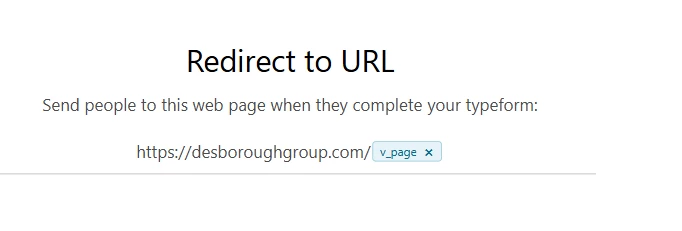
4. Create a ‘redirect ending’ and enter the root url of your site and then type the @ sign and select the v_page variable from the list
 |
So it’s not impossible to do, it just requires a little set up in advance.
If you want to see this wee example working, here’s the link